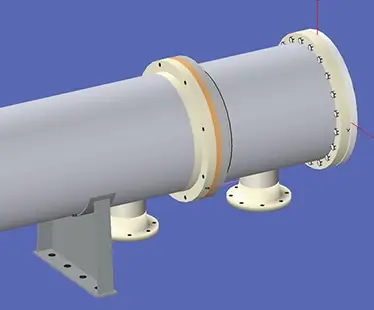
Pressure Vessel Internals, Attachments, Clips, and Lugs

The COMPRESS Attach Menu allows designers to quickly include the mechanical effects of pressure vessel internals and attachments in their designs.  It is also used to analyze common pressure vessel details such as clips, lugs and trunnions.  How COMPRESS deals with individual attachments varies depending on its type and location as described below.

Platforms, Ladders, Insulation, and Piping

Adding attachments directly to a pressure vessel, including  platforms, ladders, piping and insulation, adds weight, and increases the vessel’s projected area and wind loads.  In these cases, COMPRESS takes the attachment’s details and calculates its contribution to the vessel’s mass distribution, horizontal shears, and overturning moments.  The attachment loads are then combined with all other specified loads due to pressure, weight, wind, and seismic in the final COMPRESS design report.
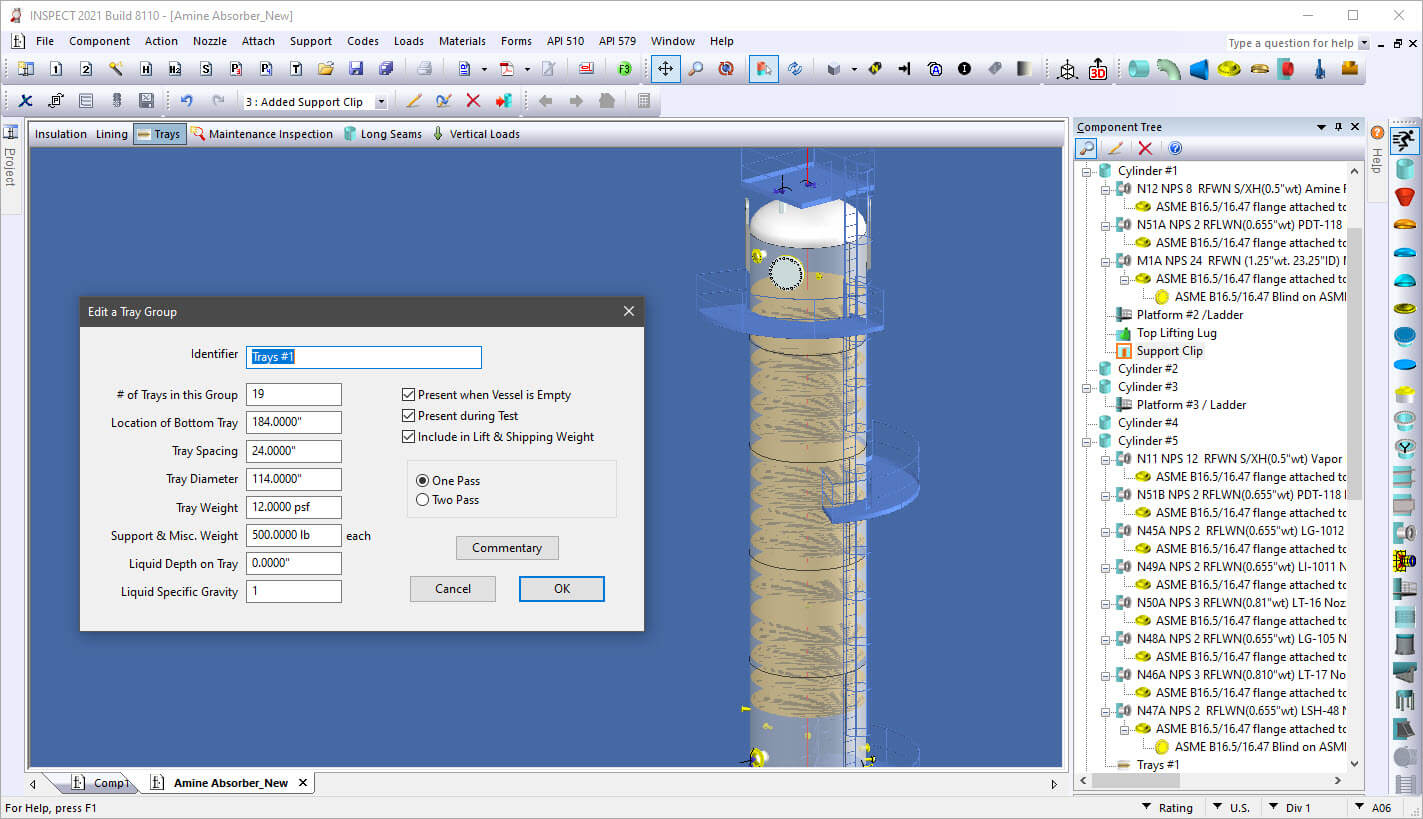
The COMPRESS Attach Menu is used to add Pressure Vessel Platforms, Ladders, Trays, Packed Beds, Insulation and Lining

Click image to enlarge

Trays, Packed Beds, and Linings

Adding pressure vessel internals such as trays, beds, and linings adds weight but does not increase the vessel’s projected exterior cross sectional area.  COMPRESS uses the specified internals to calculate their contribution to the vessel’s mass distribution and period of vibration.  This in turns flows through the combined weight, wind, and seismic horizontal shears and overturning moment calculations as required.

Clips, Lugs and Trunnions

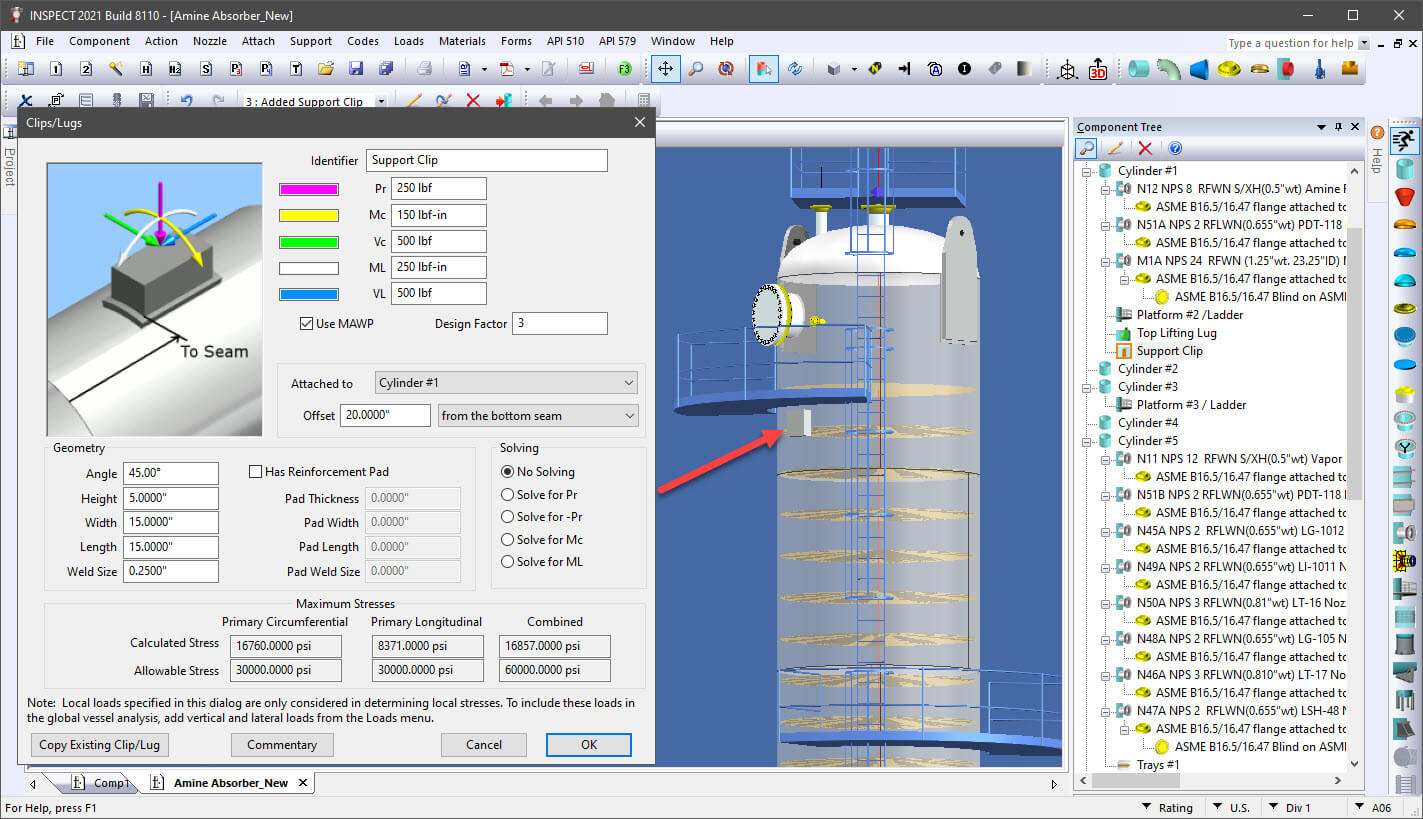
A very handy option on the COMPRESS Attach Menu is the ability to perform a FEA or a local stress analysis on small attachments such as clips. The local loads and geometries specified can be analyzed using WRC 107 / WRC 537 or by FEA.
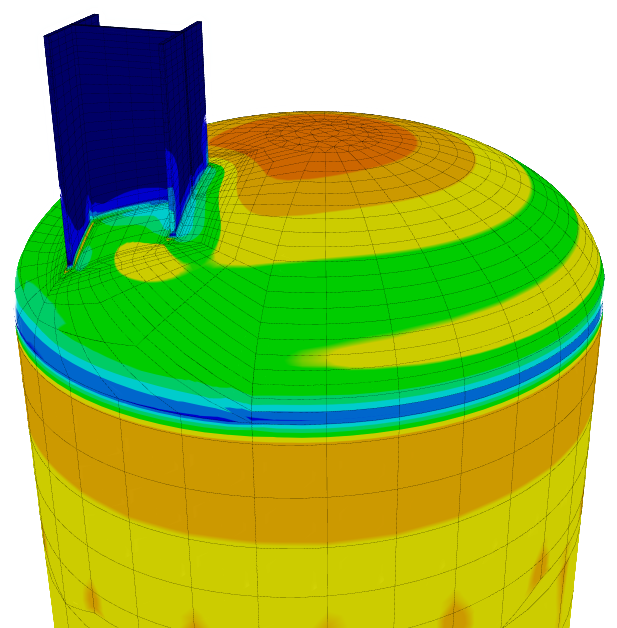
Finite Element Analysis for pressure vessel attachments
The COMPRESS Attach Menu Includes a Clips and Lugs Option

Click image to enlarge

The COMPRESS Attach Menu feature:

  • Lets you add as many attachments and internals as you want

  • Allows you to specify if attachments and internals are present in the empty, test, lift, and shipping cases

  • Calculates the effects of the load combinations on pressure components such as cylinders and transitions

  • Determines how attachments and internals effect pressure vessel supports including skirts, legs, and lugs

  • Calculates how attachments and internals effect skirt base rings, leg base plates, anchor bolts, and foundations

  • Performs WRC 107 / WRC 537 local stress analysis on clips and lugs

Increase Your Capabilities With COMPRESS

Nozzles Simplify the detailing of nozzle attachments with flexible and intuitive nozzle design capabilities. Finite Element Analysis Built-in FEA for Nozzles, Clips and TEMA Expansion Joints. API 650 Storage Tanks Modeling storage tanks is easy as COMPRESS guides you through an intuitive design wizard. Vacuum Rings Drag-and-drop vacuum rings and quickly see how the external pressure rating changes. Quick Design Speed up the process of pressure vessel modeling with Quick Design mode. Productivity Software packages like COMPRESS exist to increase productivity and save Engineering hours. Heat Exchanger Perform ASME UHX and TEMA calculations independently or leverage the bi-directional interface with HTRI. Division II As Division 1 increasingly references Division 2 provisions, many companies are transitioning to Division 2 rules to capitalize on material savings. MDMT Rules of UCS-66 The rules of UCS-66 guard against vessel failure by brittle fracture, a low probability, high consequence event. External Pressure Design Simplify the complexity of the
UG-28 rules for external pressure design and vacuum rating.
Jacketed Vessels Design both conventional and half pipe jacketed vessels. Vessel Wizard The Vessel Wizard speeds pressure vessel design by creating complete pressure vessel models with minimal input. COSTER Import files from COMPRESS and create user customizable pressure vessel cost estimates in spreadsheet format. Flange Design Create optimized Appendix 2 flange designs with minimal time and effort and account for loadings on standard B16.5/16.47 flanges. Weld Seams Designers can visually confirm good practices such as staggered longitudinal seams. Lifting & Rigging Use an accurate weight, the correct center of gravity, and apply the actual section properties. Modeling + Drawings The Codeware Interface includes Drafter 3D, a feature that auto-generates 2D pressure vessel drawings. Related Codes COMPRESS implements a wide range of related engineering methods, codes and standards. Design Mode Save time by reducing the trial and error iterations that would otherwise be required when designing pressure vessels. Rating (Analysis) Mode The COMPRESS Rating Mode takes your design and determines the vessel’s MAWP, MAEP and MDMT. Hydrotest Performing hydrotest stress calculations in the design stage prevents equipment damage during hydrotesting. Hillside Nozzle COMPRESS saves time by calculating chord openings and governing planes of reinforcement automatically. ASME Editions Older ASME Codes are retained in all COMPRESS releases so you can always use the latest software. Automatic Liquid Levels COMPRESS eliminates the need to manually calculate each vessel component’s liquid static head. Global External Loads The Loads Menu allows designers to easily consider global external loads when sizing pressure vessel supports. Clips and Lugs Quickly add in various structural shapes to complete your design. Multi-Chamber Vessels Certain industrial processes require pressure vessels with multiple chambers operating under different design conditions. Appendix 46 Produce more economical Div 1 pressure vessel designs with increased accuracy from the Div 2 design by rule equations. Manufacturer's Data Reports Simplify the creation, submission and management of ASME Manufacturer’s Data Reports and NBIC Repair and Alteration Forms. Support Skirt Openings Specify piping connections to vertical vessels that require additional piping and openings cut out of the support skirt. Branch Connections Reduce pressure vessel welding and material costs by modeling tees in COMPRESS. Foundation Loads Summary Break down the loads for the specified vessel operating conditions including weight, wind, seismic, and vortex shedding. Shipping Saddles COMPRESS provides a shipping saddle option based on the industry standard Zick Analysis. UG-80 and UG-81 COMPRESS automatically provides out-of-roundness tolerances that must be maintained during pressure vessel fabrication. Nameplate Design Every pressure vessel is required by Code to have a nameplate. COMPRESS handles this by including a convenient nameplate option. Fatigue Screening Quickly enter fatigue data to determine if a fatigue assessment is required. WRC 537 Nozzle Loads Check stresses on nozzles using WRC 107 and WRC 537 stress analysis for spherical and cylindrical shells.
COMPRESS Quick Design Mode Heat Exchanger designed in COMPRESS Division 2 option in COMPRESS MDMT Rules of UCS-66 Bill of Materials generated from COSTER Flange design in COMPRESS Weld seam wizard in COMPRESS Lifting mechanics in COMPRESS Drafter 3D from Codeware COMPRESS includes related engineering methods, codes, and standards Design mode in COMPRESS Rating mode in COMPRESS Hydrotesting in COMPRESS Hillside Nozzle design in COMPRESS 2023 ASME VIII Code Edition in COMPRESS Automatic Liquid Levels in COMPRESS External Loads in COMPRESS Pressure Vessel clip with pad in COMPRESS Multi chamber pressure vessels in COMPRESS Appendix 46 in COMPRESS ASME Manufacturer's data reports in COMPRESS Support Skirt Openings in COMPRESS Foundation Loads Summary in COMPRESS UG-80 and UG-81 design in COMPRESS Jacketed Vessel in COMPRESS Pressure vessel nozzles Shipping Saddles in COMPRESS Nameplate design in COMPRESS WRC 537 Nozzle Loads in COMPRESS Fatigue Screening in COMPRESS Vacuum Rings in COMPRESS FEA Nozzles in COMPRESS API 650 in COMPRESS Branch Connections in COMPRESS